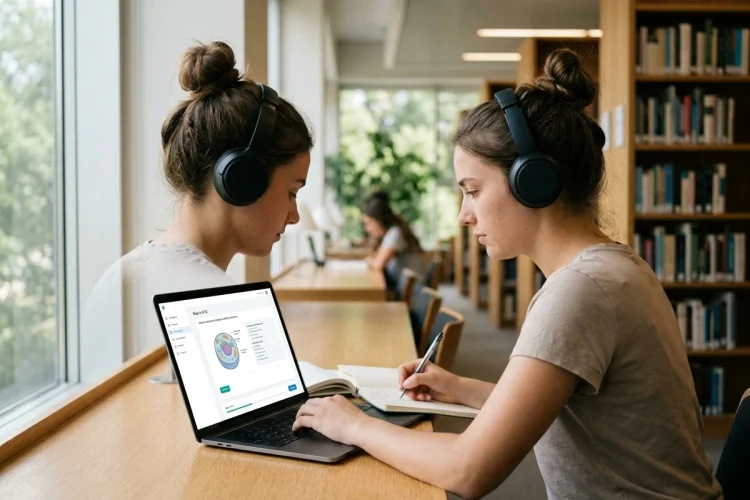
Staying focused while learning sounds simple until a notification appears, another browser tab starts looking interesting, or a lesson presents so much information that your attention begins to drift.
Digital technology is sometimes blamed for these problems, and there is a good reason to be cautious. Research has found that notifications and media multitasking can interfere with attention and task performance.
But digital technology is not automatically distracting. The design of the software-and the way students use it-can make a major difference.
Well-designed learning software can support focus and attention by reducing unnecessary distractions, organizing information into manageable steps, encouraging active participation, and helping learners stay aware of their progress.
The key is not to keep students staring at a screen for as long as possible. Effective educational technology should make it easier to concentrate on one meaningful task at a time.
From distraction-free interfaces to adaptive exercises and short learning sessions, software can create a digital environment that supports attention rather than constantly competing for it.
Why Focus and Attention Matter for Learning
Attention acts like a filter. Learners are constantly surrounded by information, but only some of it receives enough mental processing to become useful knowledge.
When attention is divided between several tasks, learning becomes more difficult. Research on divided attention has found that distractions and multitasking can interfere with memory and learning performance.
Imagine trying to learn a new maths formula while simultaneously checking messages, watching short videos, and switching between several browser tabs.
You may technically spend an hour “studying,” but much of that hour is spent changing tasks.
Task switching itself has cognitive costs because the brain must repeatedly adjust to different rules and goals. Experimental research has shown that switching between tasks takes additional processing time compared with continuing the same task.
Learning software can help by creating a clearer pathway: one task, one objective, and one next step.
Simple Interfaces Can Reduce Unnecessary Cognitive Load
More features do not always make educational software better.
A screen filled with animations, background music, pop-ups, badges, advertisements, moving graphics, and multiple menus can create unnecessary competition for attention.
This connects with cognitive load, which refers to the mental demands placed on working memory during a task.
Research on multimedia learning recommends several strategies for reducing unnecessary cognitive load, including removing nonessential information, highlighting important material, integrating related text and visuals, and allowing complex content to be segmented into manageable sections.
Suppose students are learning how the water cycle works.
A cluttered lesson might display a long paragraph, animated clouds, background music, several buttons, decorative characters, and three unrelated facts at once.
A more focused version could show one clean diagram and introduce evaporation, condensation, precipitation, and collection step by step.
The second design may look less exciting, but it gives attention somewhere clear to go.
Good learning software should use visual design to guide concentration-not simply to entertain.
Software Can Break Difficult Lessons Into Smaller Steps
Long lessons can become mentally exhausting, especially when students are encountering unfamiliar information.
Software can help by using chunking and segmentation.
Chunking means grouping smaller pieces of information into more meaningful units. Research on working memory suggests that chunking can reduce memory demands by allowing information to be represented in larger, familiar groups.
For example, a language-learning app probably should not introduce 80 unfamiliar words on one screen.
It might begin with ten words about food, allow the learner to practice them, and then introduce another small group once the first set becomes more familiar.
The same principle works for complicated science lessons.
Instead of explaining an entire biological system at once, software can divide the topic into structures, functions, examples, and practice questions.
This helps learners focus on what they need to understand right now, rather than worrying about everything they will eventually need to know.
Active Learning Can Keep Attention on the Task
Watching a video or reading an explanation requires some attention, but learners can easily become passive.
Interactive learning software can periodically require a response.
A student might have to predict what happens next, answer a question, arrange items in order, identify a mistake, explain a concept, or solve a short problem.
These activities help transform the learner from a viewer into a participant.
Research examining active learning suggests that greater cognitive engagement can contribute to learning compared with purely passive participation, although effective instruction depends on how activities are designed and guided.
Imagine a ten-minute history lesson.
One version plays a continuous video from beginning to end.
Another pauses after a few minutes and asks:
“Why do you think this event changed the political situation?”
The learner now has a reason to stop, think, and connect ideas.
Interactive elements should not appear every few seconds simply to create activity. Too much clicking can become another distraction.
The purpose of interaction is to direct attention toward thinking.
Learning Software Can Reduce Digital Distractions
One of the biggest challenges of digital learning is that the same device used for studying may also contain games, social media, email, videos, and messaging apps.
Notifications are especially disruptive.
One experimental study found that simply receiving a mobile-phone notification disrupted performance on an attention-demanding task, even when participants did not interact with the phone.
Learning platforms can respond by providing distraction-reduction features.
For example, a study mode might hide unrelated navigation, silence optional alerts, open lessons in full screen, or encourage learners to complete one activity before moving elsewhere.
Teachers and students can also create simple routines around the software.
Before a 25-minute study session, students might mute unnecessary notifications, close unrelated tabs, and choose one specific learning goal.
UNESCO’s Global Education Monitoring Report has warned that technology can distract from learning when it is poorly integrated or used excessively.
The goal is therefore not simply to put more technology into education.
It is to create digital environments where technology serves the lesson.
Adaptive Difficulty Can Help Maintain Engagement
Attention often disappears when a task sits at either extreme.
If an activity is far too easy, students may become bored.
If it is impossibly difficult, they may become frustrated and mentally disengage.
Adaptive learning software can potentially respond to student performance and adjust what comes next.
Imagine a learner correctly answering ten basic multiplication questions in a row. The software could gradually introduce more difficult problems instead of continuing with the same level.
If the student begins struggling, it might provide a hint, simpler example, or short review.
This creates a learning path that responds more closely to current performance.
However, adaptive systems should not be treated as mind readers. Software can analyze responses, but it may not understand why a learner is struggling.
A teacher may notice something the algorithm cannot: the student is tired, misunderstood the instructions, has missing background knowledge, or simply needs encouragement.
Adaptive technology works best when it supports human judgment rather than replacing it.
Progress Feedback Can Help Learners Regain Focus
Losing focus is easier when a task feels endless.
Learning software can make progress more visible.
A student might see:
“3 of 5 activities complete.”
Or:
“You have mastered 8 of 12 vocabulary terms.”
Small progress indicators can help learners understand where they are in a lesson and what remains to be done.
More detailed dashboards can also reveal patterns.
For example, software might show that a learner performs well during short practice sessions but accuracy drops during longer sessions.
That information could encourage the learner to experiment with shorter blocks of focused study.
The best progress tools focus on meaningful learning rather than simply rewarding screen time.
Spending 90 minutes inside an app does not prove that someone was concentrating.
A more useful question is whether the student can solve problems, recall information, and explain what they learned.
Software Should Encourage Breaks, Not Endless Screen Time
Good attention management also involves knowing when to stop.
Mental concentration cannot remain equally strong forever. Long sessions can eventually become less productive, especially when learners continue simply because software is designed to keep them clicking.
Educational platforms can encourage healthier pacing.
A lesson might be divided into short sections with natural stopping points. After a demanding activity, the software could suggest a pause before beginning the next module.
This is especially important because digital devices already compete heavily for people’s attention.
UNESCO has emphasized that educational technology should be used when it clearly supports learning, rather than assuming that greater technology use is automatically better.
For students, this means a focused 30-minute session may sometimes be more valuable than two distracted hours.
Software should help learners complete meaningful work and then allow them to step away from the screen.
Teachers Still Play an Important Role
Even the most carefully designed learning software cannot control every factor affecting attention.
A student might be distracted because the room is noisy, the lesson feels irrelevant, instructions are confusing, or something outside school is occupying their thoughts.
Software sees clicks, answers, completion rates, and sometimes time spent on activities.
Teachers see people.
They can notice frustration, ask questions, change the pace of a lesson, connect material with student interests, and decide when technology is helping-or when it should simply be turned off.
This is why learning software works best as part of a wider teaching strategy.
Technology can organize practice, remove unnecessary distractions, provide feedback, and create structured learning paths.
Teachers provide context, relationships, guidance, and judgment.
Learning software can support focus and attention when it is designed around the needs of learners rather than the goal of maximizing screen time.
Clean interfaces can reduce unnecessary cognitive load. Smaller learning sections make difficult material easier to approach.
Interactive questions encourage active thinking, while distraction controls, adaptive difficulty, and clear progress indicators can help learners stay engaged with the task.
At the same time, digital tools can easily become sources of distraction when notifications, multitasking, excessive features, or endless content compete for attention.
The best approach is therefore intentional use.
When choosing educational software, ask a simple question: Does this tool make it easier for learners to concentrate on meaningful thinking, or does it simply give them more things to click?
Choose tools that protect attention, create clear learning goals, and help students spend their mental energy on what actually matters.